
How to Enable Advanced Settings
Go to Settings and then go to the “Advanced” tab.
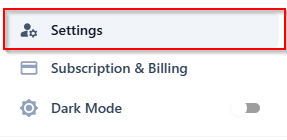
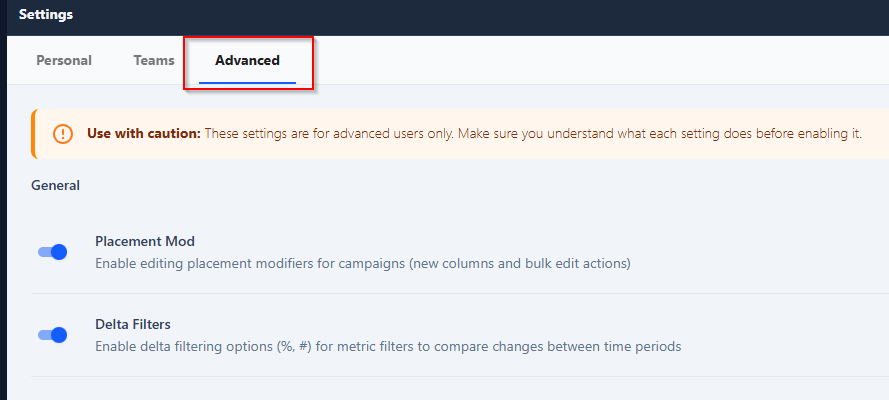
More details on these settings below.
Delta Filters
Enabling Delta Filters adds a new filter type that lets you filter by the change in certain metrics, not just its current value.
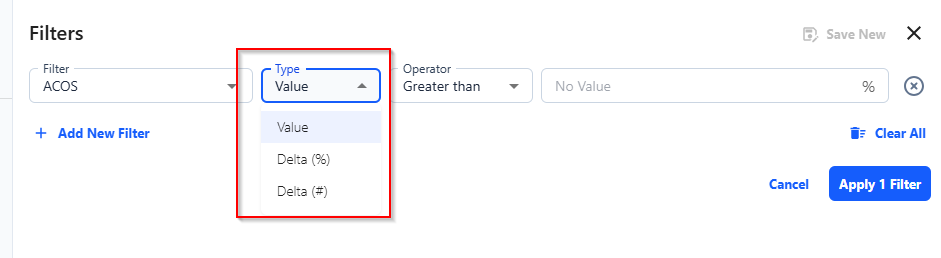
Value -- the standard filter (e.g., ACOS greater than 30%)
Delta (%) -- the percentage change compared to the previous period
Delta (#) -- the absolute change compared to the previous period

Tip: You can use negative values. For example, setting Sales Delta (#) to less than 0 shows campaigns or targets where sales dropped.
Placement Mod
Enabling the Placement Mod column gives you visibility into the modifier AdLabs uses when calculating bids based on placement performance.
Note: The Placement Mod is a campaign-level setting. You can only view and edit it from the Campaign Optimizer. It will not appear at the target level.
For a full explanation of what the Placement Mod is and how it works, see the article below.
Understanding the Placement Mod in AdLabs
What the Placement Mod is, how it affects your bids, and common questions.