
How to Connect Your AMC Account
Go to Manage Profiles and click on “Connect AMC”.

Then enter your Entity ID and select the associated marketplace.
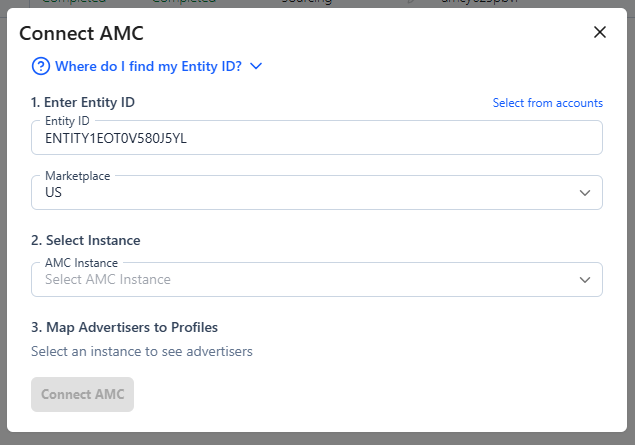

Make sure you select the marketplace that is associated with the entity ID where the instance is set up.
Then choose the instance and connect it to the associated Sponsored Ads profile. That’s it!
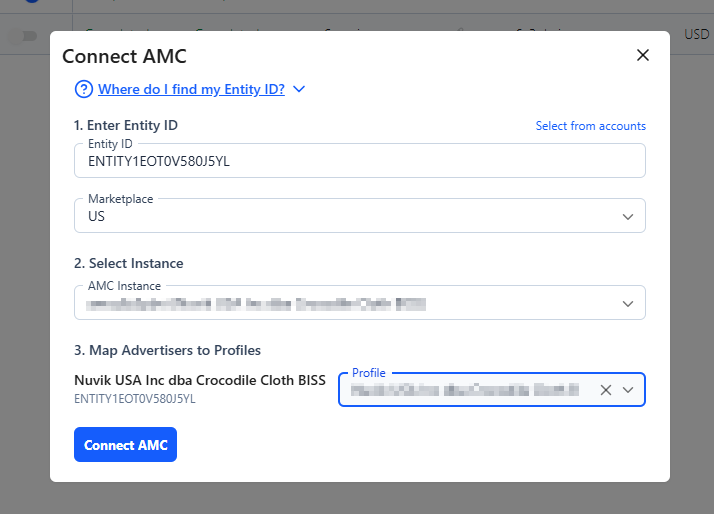
Don’t see your instance or are having trouble connecting? Try our troubleshooting steps in the doc below.
Why Can't I Connect to AMC?
Common issues with connecting AMC instances to AdLabs