
Update User Permissions
After adding a user to Vendor Central, click the gear icon in the upper right-hand corner and select "Manage Permissions”
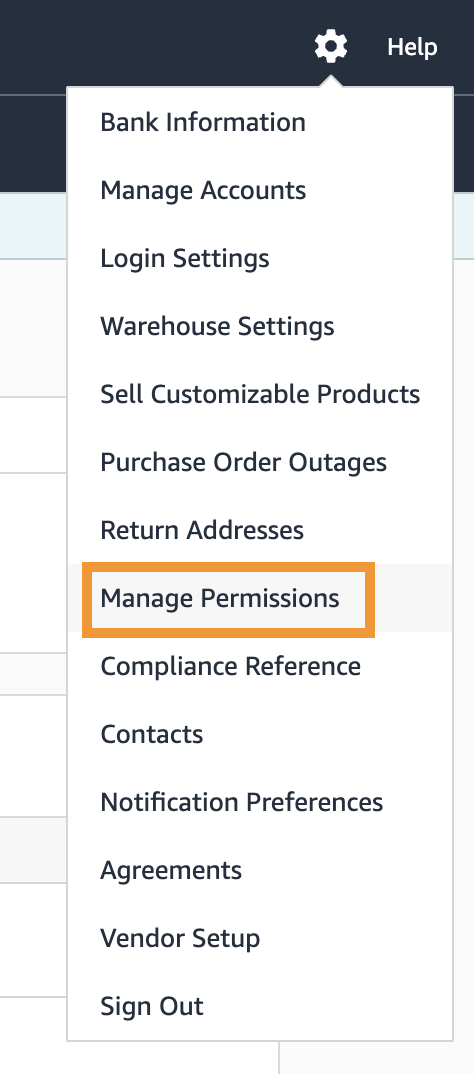
Find the user's email and select "Edit" permissions then update the permissions below.
User Permissions Needed
"Yes" for Manage Integrations(EDI/API)
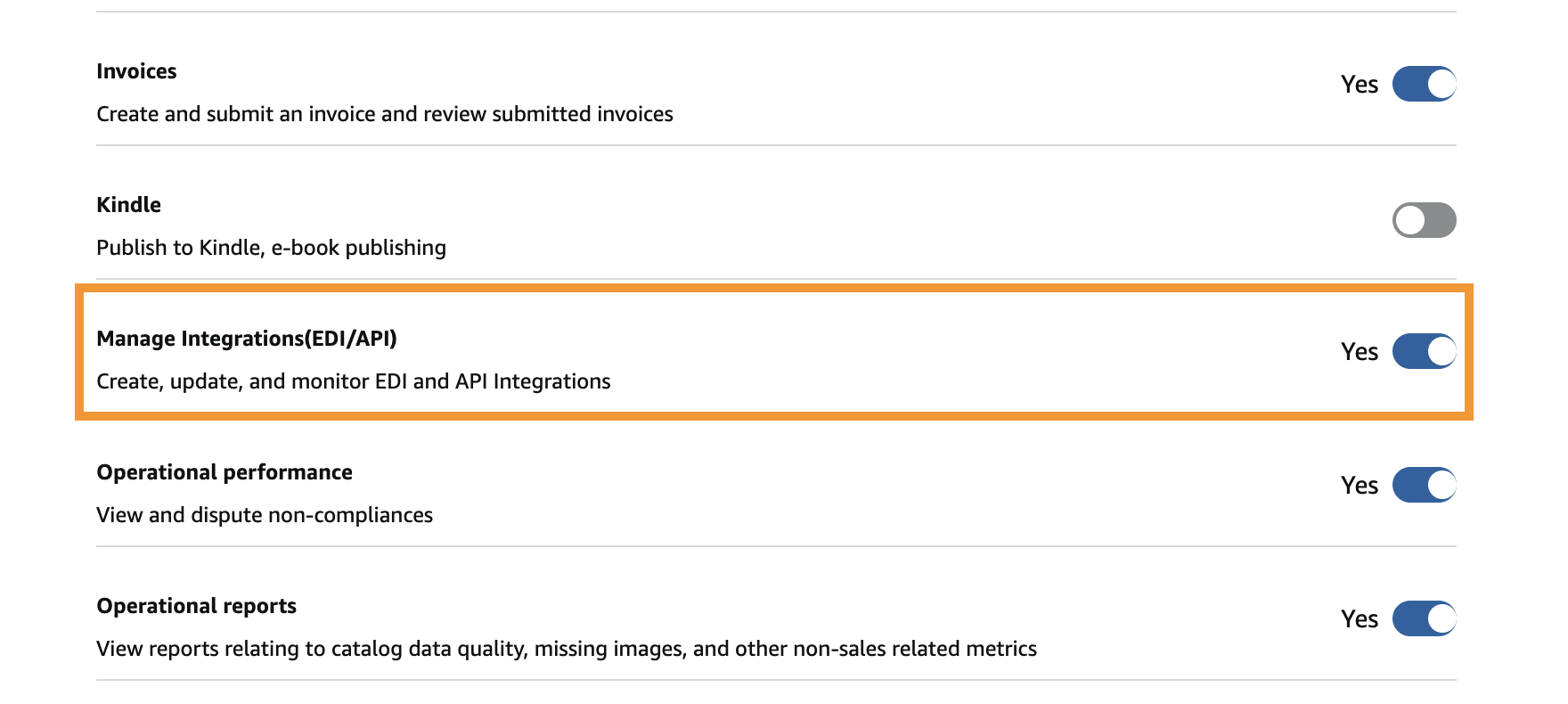

Don’t forget to scroll to the top and select "Save" to save the new permissions.
That’s it! :)