
Quick Overview
Team = A workspace in AdLabs that can hold multiple advertising profiles, has its own billing subscription, and can have multiple team members.
Here is an example scenario for an AdLabs account with multiple teams managing several advertising profiles.
Each team operates independently with its own billing and Amazon authorization.
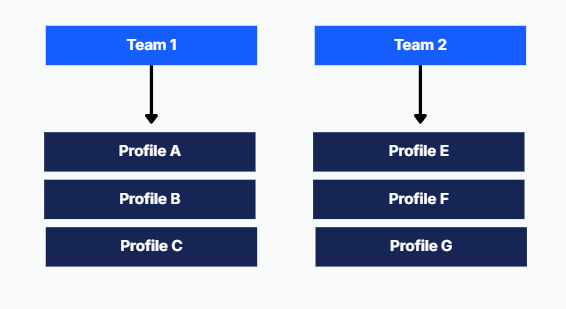
Teams exist within Organizations. Learn more about Organizations below.
What Are AdLabs Organizations?
Understanding the highest level of your AdLabs account structure
Key Features of Teams
Multiple teams per account: You can have unlimited teams within your AdLabs account
One Amazon authorization per team: Each team can only have a maximum of 1 Amazon sign-on/authorization
Full team visibility: All team members have complete access to everything within that team
Cross-organization collaboration: You can be added to teams from other organizations
Independent subscriptions: Each team has its own unique subscription and billing
How the Billing Works
You are charged at the “Team” level.
A team can have unlimited team members at no additional charge.
A team can also have unlimited profiles at no additional charge.
However, you will be charged for any additional teams you add, since each team is on its own unique billing plan.
How to Manage Teams
Navigate to “Manage Team” in AdLabs.
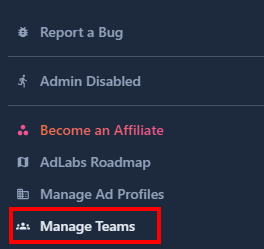
From there, you can create a new team. You will be prompted to connect an Amazon account.
Once your team is created, you can add Profiles as well as team members.