
How to Access the API Key
Open the account menu and click “Settings” to go to your “User Settings” page in AdLabs. You can also get there from AI > MCP by clicking “Generate API key”.
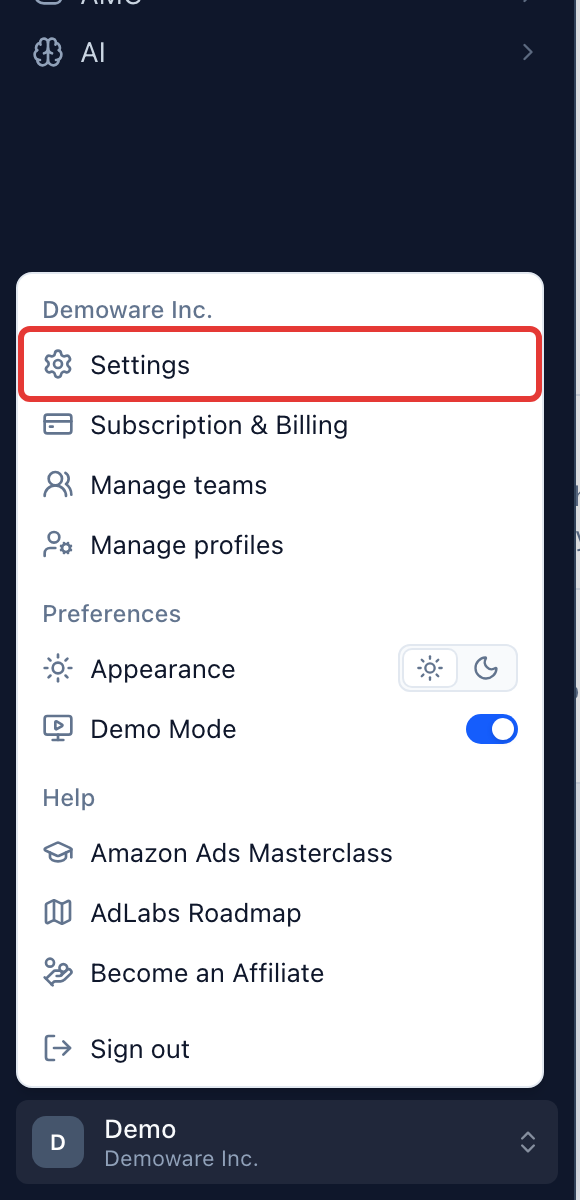
You will see the “MCP API key” card. Click “Generate key”.
MCP is available on Pro plans. If none of your Teams is on a plan that includes MCP, the card shows an upgrade message and a “View plans” button instead of “Generate key”.

Copy your API key for pasting.
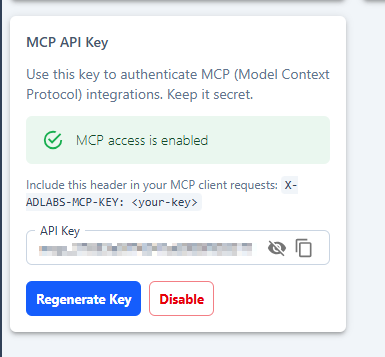

Warning! If you disable or regenerate your API key in AdLabs, any MCP connections using that key will immediately lose access. You'll need to update your MCP configuration with the new key to reconnect.