Only the account Owner can add new team members.
Go to the "Manage Teams" tab, and invite a new member by entering their email address.
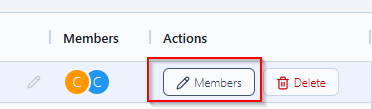
Your new team member will receive an email to login to AdLabs.
New team members are added as Admins. Admins have access to the account but cannot manage team settings or transfer ownership.

From the Manage Teams tab, find the team member you want to remove and click Remove. This will revoke their access to the account immediately.
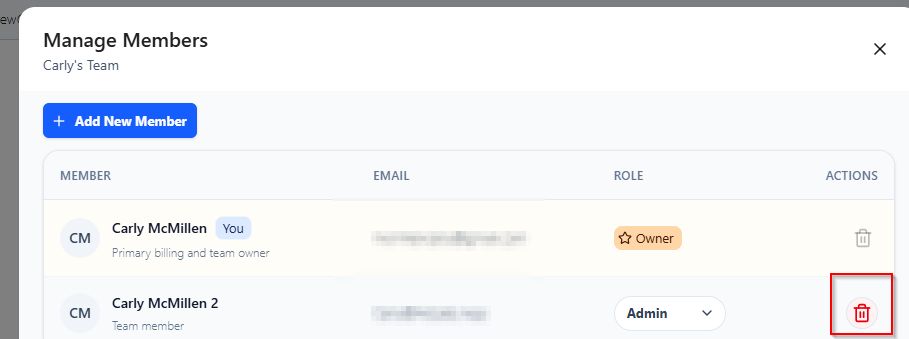
AdLabs has two roles:
Owner -- Full access to the account, including managing team members and transferring ownership. Each account has one Owner.
Admin -- Access to the account for day-to-day use. Cannot add or remove team members or transfer ownership.
Both roles can only see data associated with the profiles on the Teams they are added to. You can limit which profiles team members have access to by only adding them to select Teams.
More details on Teams in AdLabs below.
What Are AdLabs "Teams"?
How do Teams work in AdLabs?
The current Owner can transfer ownership to another team member. The team member has to be added to the AdLabs team before you can transfer ownership.
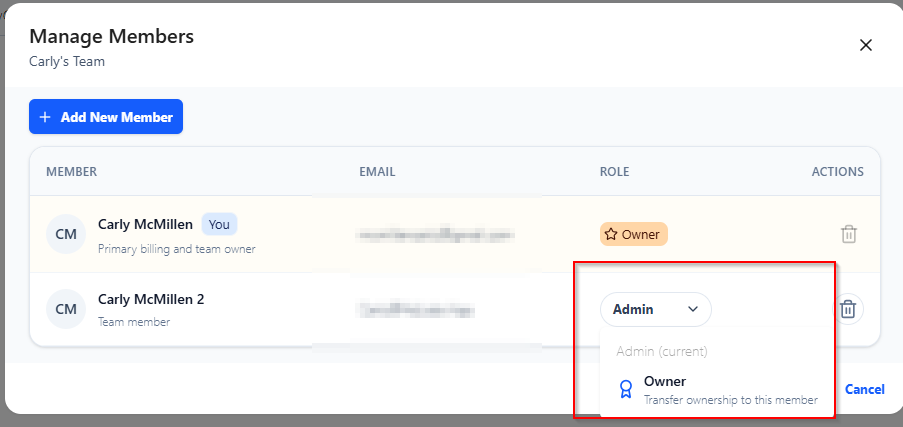
Once transferred, the previous Owner becomes an Admin.

Login email changes can't be done from the AdLabs dashboard. To update the email address associated with your account, reach out to our support team and we'll get it changed for you.
