
First, please check to ensure you have the correct user permissions.
Next, check to see if the profile is appearing as a different name.
If the seller has ever changed the name of their selling or advertising account, the API will reflect the old/original name of the account (this is what you will see in AdLabs).
The easiest way to check this would be to search for the Merchant ID within AdLabs. If you know the Merchant ID of the Profile you can paste it into the search bay within “Manage Ad Profiles” in AdLabs.
If you have some marketplaces showing in AdLabs already for the Profile you are trying to connect you can also copy/paste it from those other marketplaces.
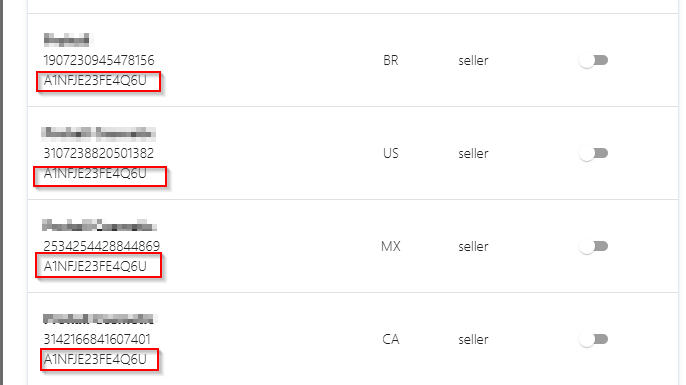
Alternatively, you can also find the Merchant ID in the URL of the seller page.
Go to the product detail page of any of the seller’s products and click on the seller’s name from the Buy Box.
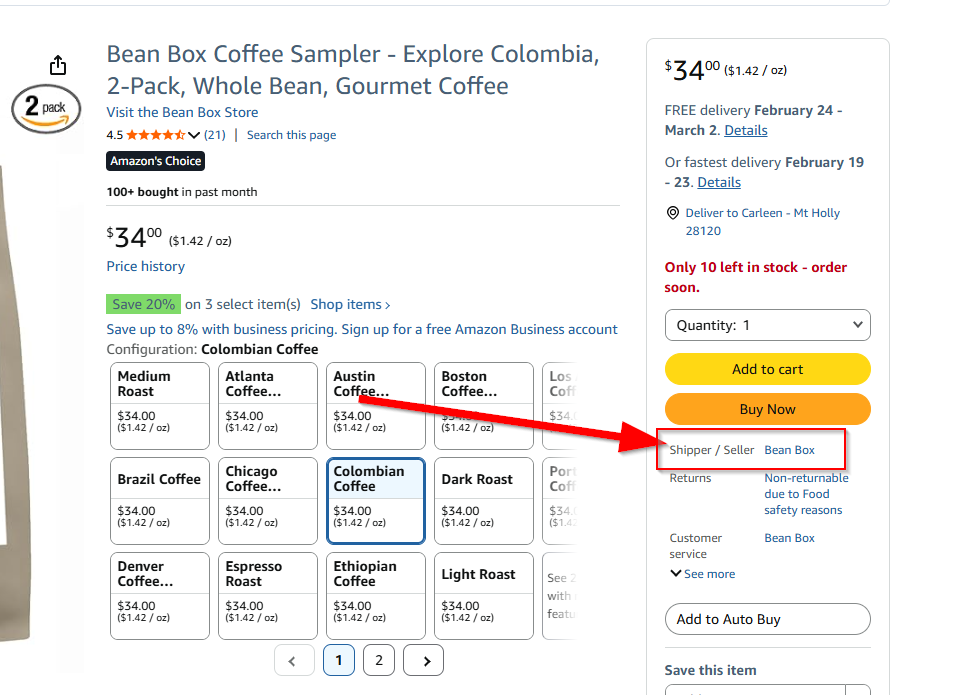
Then, the Merchant ID will appear after “seller=”

Tip: If neither of those work, in the Amazon Ad Console, when switching accounts, you may see the old name flash for a millisecond before it updates in your browser.
If you are 100% positive that you have the correct permissions and the advertising profile isn't appearing at all (including other names), then this is a confirmed bug from Amazon's end:
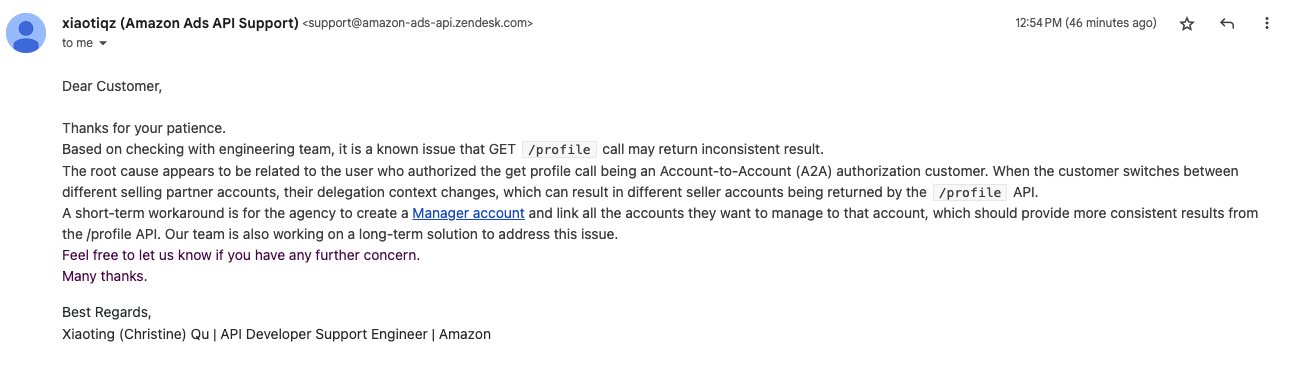
We've been pressuring Amazon to fix this for months now, they've told us "it's complicated."
We hope this is fixed soon!! :)
