Profile = An Amazon advertising account from either Seller Central or Vendor Central that you connect to AdLabs.
Profiles are the actual Amazon advertising accounts that you manage.
Profiles are the smallest level of organization within AdLabs, underneath Teams and Organizations.
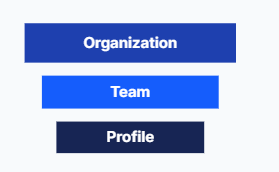
Learn more about Organizations and Teams below.
What Are AdLabs Organizations?
Understanding the highest level of your AdLabs account structure
What Are AdLabs "Teams"?
How do Teams work in AdLabs?
Unlimited profiles per team: You can connect as many advertising profiles as you need within a team.
Same Amazon authorization required: All profiles within a Team must be accessible through the same Amazon login credentials that you used when creating the Team.
Any marketplace or brand: Profiles can be from any country marketplace (US, Canada, UK, etc.), any brand, or any combination - as long as they share the same Amazon login.
Seller Central or Vendor Central: AdLabs supports Profiles from both Seller Central and Vendor Central accounts.
Billing Happens at the Team Level: You are only billed per team, not per Profile.
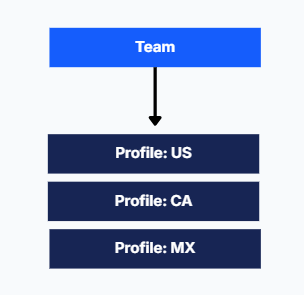
Multi-country brand: A brand selling in the US, Canada, and Mexico would have 3 profiles (one per marketplace) all within the same team.
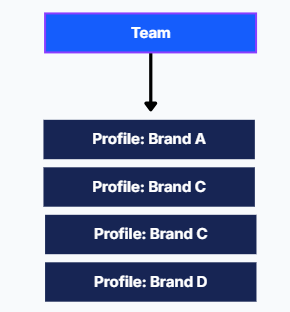
Multi-brand company: A company with 4 different brand stores under the same Amazon account would have 4 profiles all within one team.
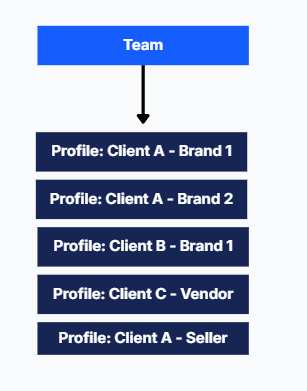
Agency with multiple clients: An agency managing clients who all grant access through the same Amazon login could have all client profiles in one team. If clients use different Amazon logins, they would need separate teams.
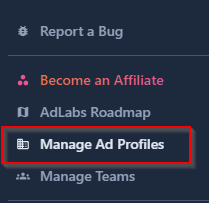
Navigate to “Manage Ad Profiles” in AdLabs.
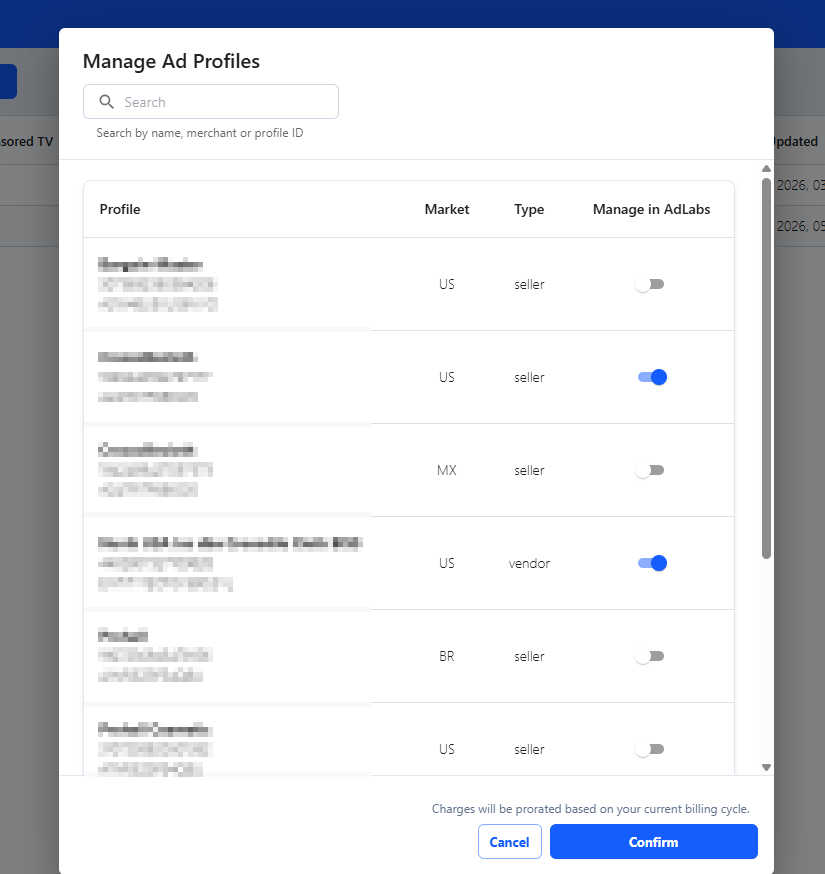
Toggle on the Profiles that you’d like to manage in AdLabs.

Can’t find the Profile you’re looking for? Follow the troubleshooting steps in the article below.
Why can't I see all my profiles?
Common issues with connecting Advertising profiles to Amazon.
