
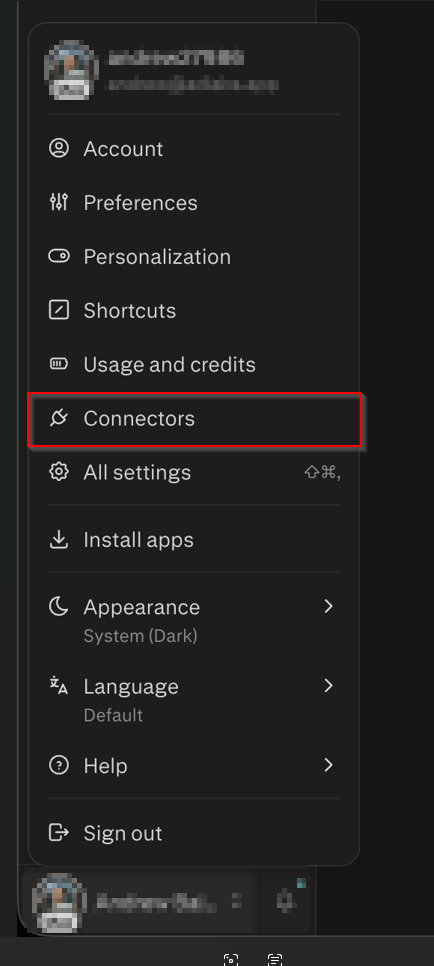
In either the Perplexity desktop app or from your browser, from your “Account” go to “Connectors” from the side panel.
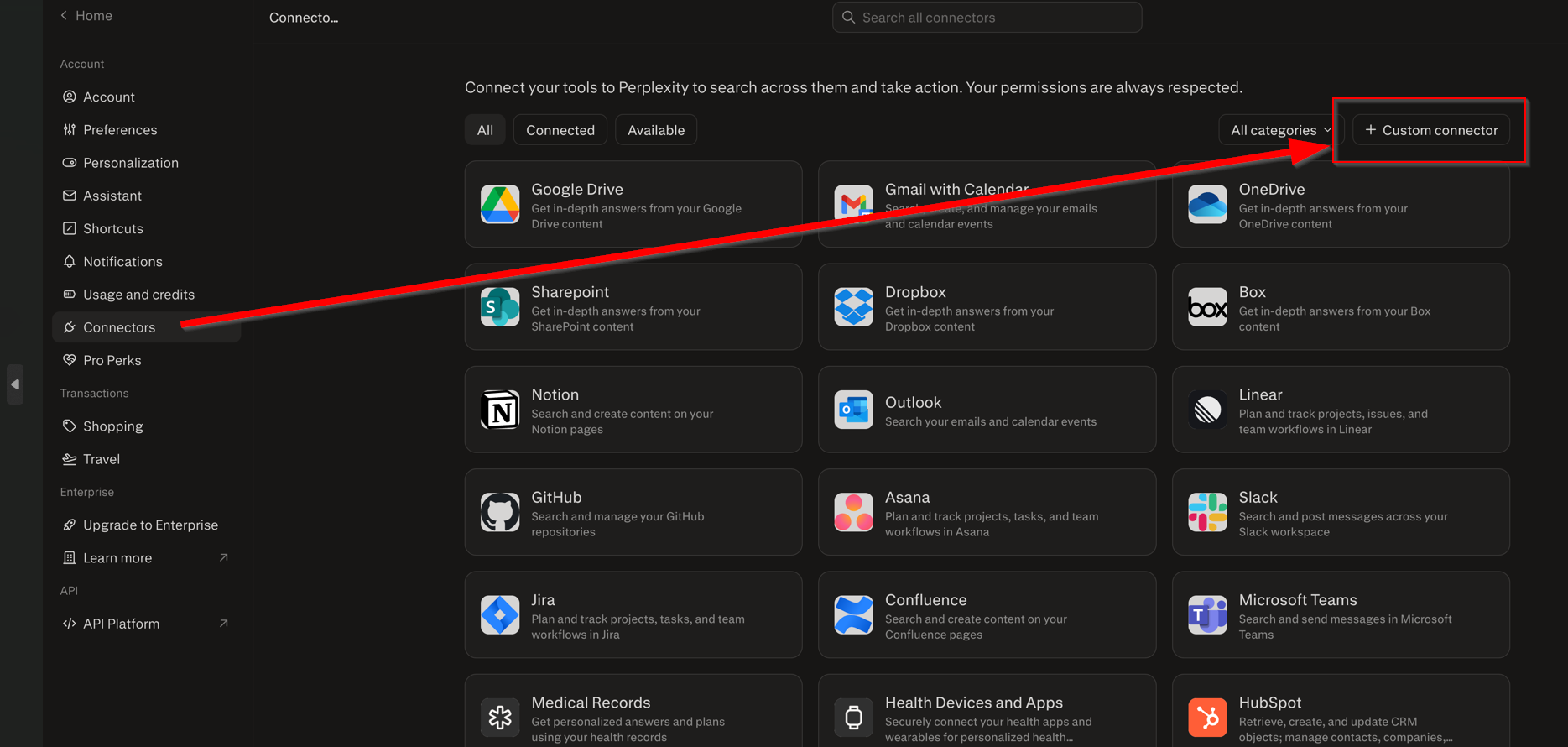
Then click on “Custom Connector”.
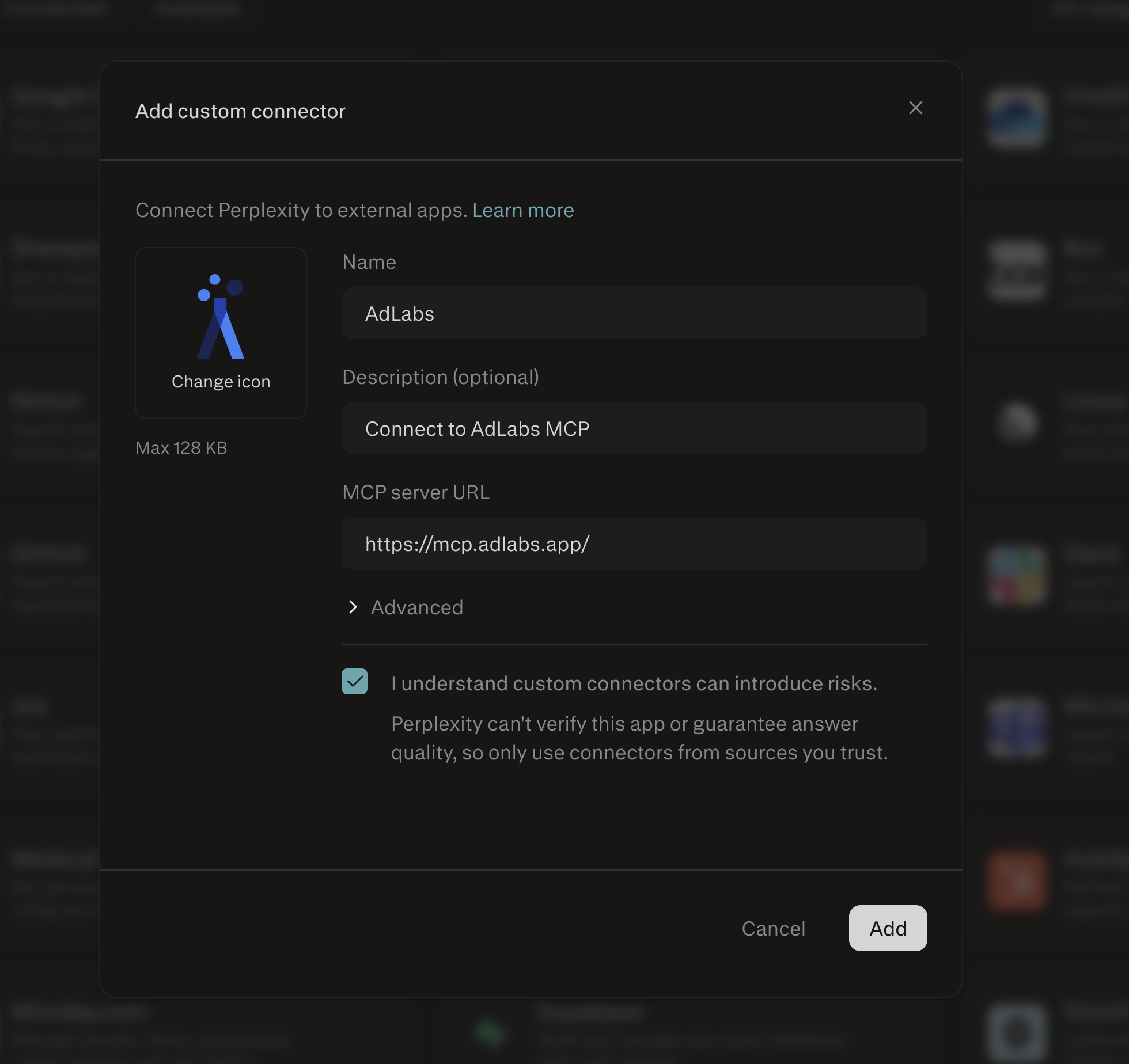
Name the Connector “AdLabs” and enter the MCP URL.
MCP URL: https://mcp.adlabs.app
Then click “Add”.
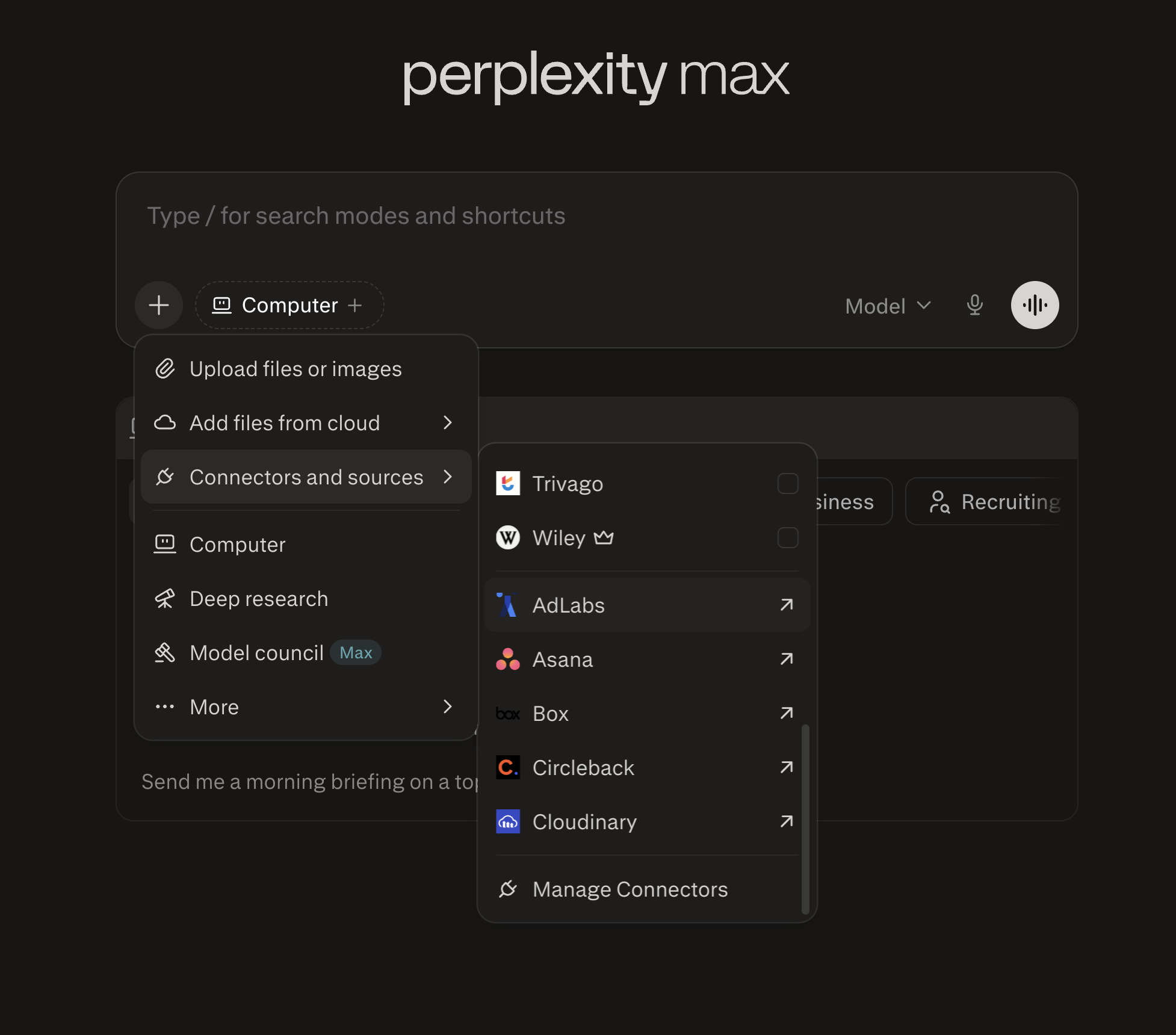
Now the AdLabs Connector will appear from the dropdown list. Click on it to finish connecting.
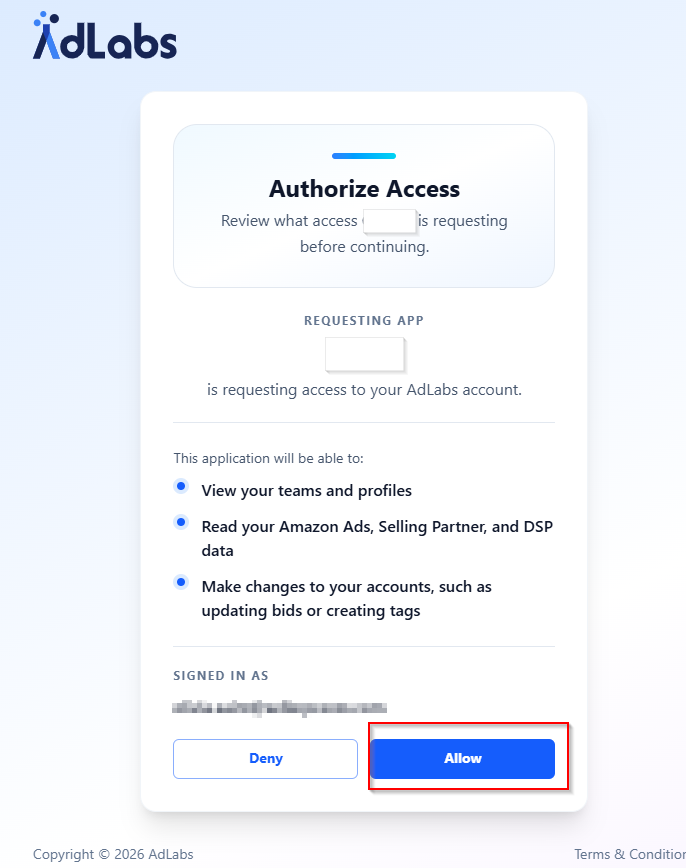
The AdLabs app will open. Click “Allow” to authorize the access.
That’s it! Now you can query your AdLabs data from within Perplexity.
Want to connect via the API key?
How to Connect the AdLabs MCP Using an API Key
Step-by-step guide for connecting to the AdLabs MCP server using API key authentication.
Have questions on how to configure the MCP for larger teams?
How MCP Access Works with Teams, Accounts, and Permissions
How your AdLabs permissions, Teams, and API keys carry over to MCP connections.