When you connect to AdLabs through MCP, you see the same Teams and profiles you have access to in the AdLabs dashboard. If something is visible in your UI, it's visible through MCP.
This applies to both OAuth connections (like Claude's connector) and API key connections.
More details in the article below.
What the AdLabs MCP Can Access
A breakdown of what data the MCP can read, what actions it can take, and how to control permissions.
Not currently. A single MCP connection is scoped to one AdLabs account.
You can't merge or combine access across different logins.
If you manage more than one account (for example, two separate brands under different logins), you'll need to log out and re-authenticate to switch between them.
Each user in your organization gets their own API key. One key per user, not one key per organization.
If you have 5 people on your team, you can have 5 separate MCP connections, each tied to a different user.
To generate your key, go to AI > MCP and then “Manage API Key”.
https://dashboard.adlabs.app/ai/mcp
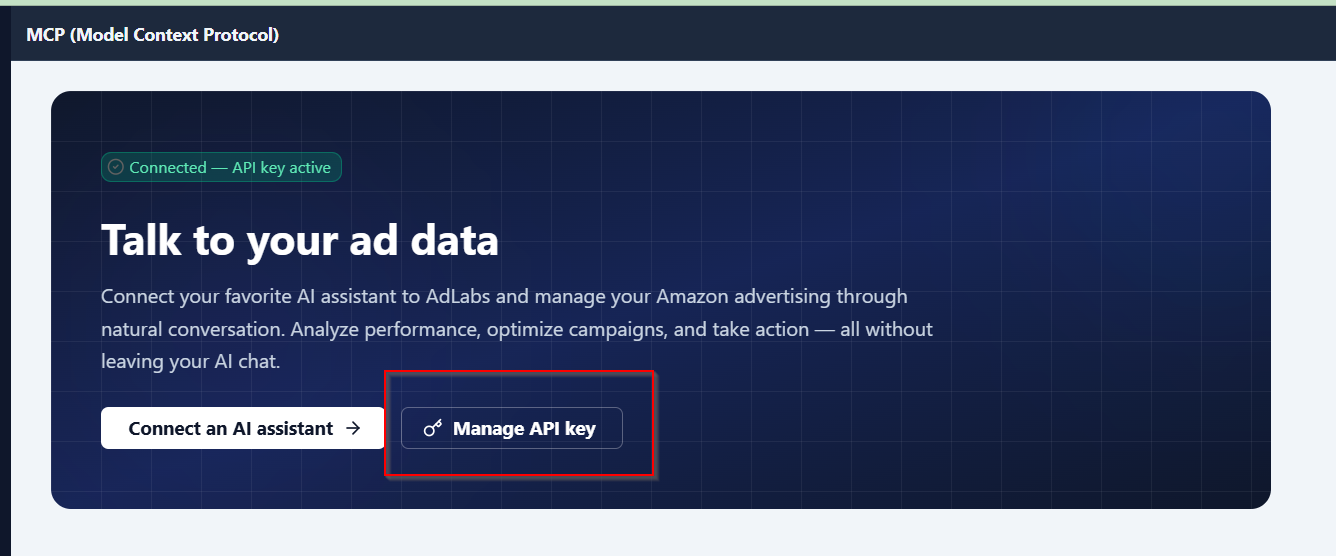
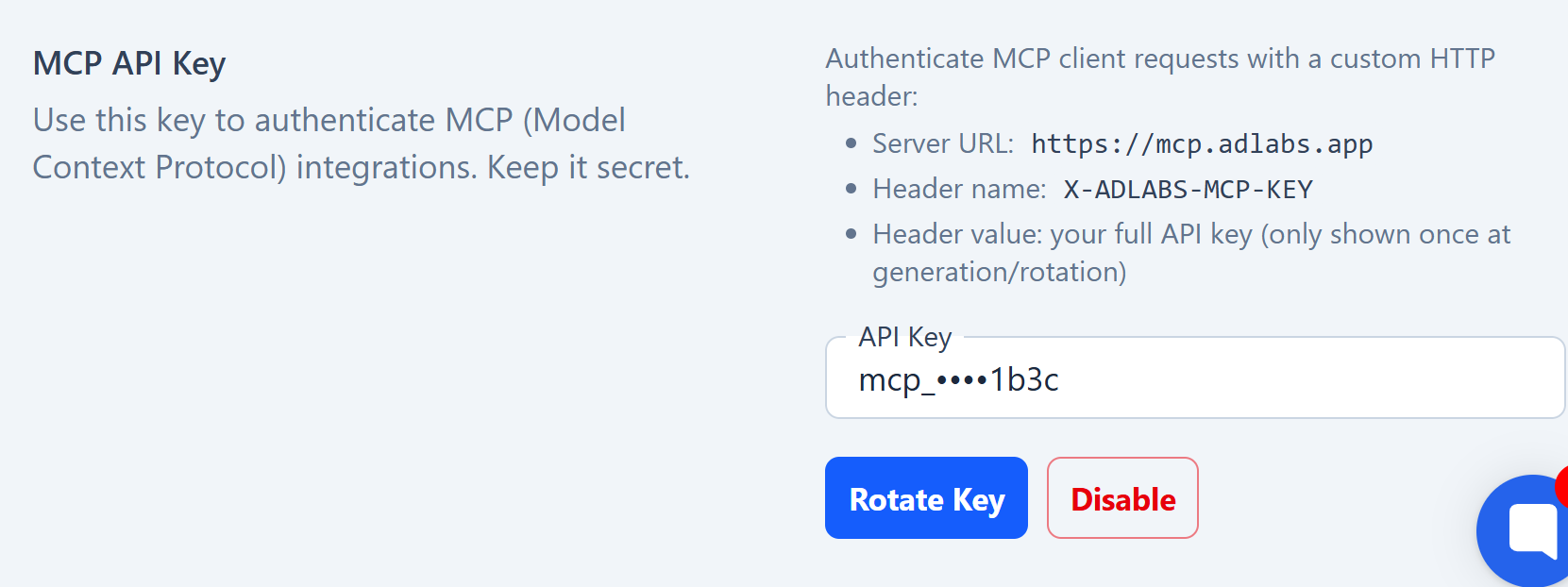
API keys are user-specific. Every action taken through an API key is tracked to the user who generated it, so you can see exactly who made what changes.

Not currently.
All API keys have the same access level as the user who generated them. If you need to limit what someone can access through MCP, use Teams to scope their account access to specific profiles (see below).
If you're an agency and want to give a client access to their data through MCP without exposing other accounts you manage:
Create a new Team in AdLabs for that client
Add only the profiles relevant to that client
Invite the client to that Team
When the client connects via MCP, they'll only see what's in the Team you added them to. They won't have visibility into your other Teams, profiles, or clients.
What Are AdLabs "Teams"?
How do Teams work in AdLabs?
MCP respects the same access controls as the AdLabs UI. If a profile isn't showing up, check whether you have access to it in the dashboard first.
If you can see it in the UI but not through MCP, please ask your AI assistant to submit a bug ticket. That will go directly to our software team.
