An active AdLabs account (sign in at dashboard.adlabs.app)
Google Antigravity installed on your machine (https://antigravity.google/download)
An AdLabs API key
How to Connect the AdLabs MCP Using an API Key
Step-by-step guide for connecting to the AdLabs MCP server using API key authentication.
In Antigravity, open the Agent Manager from the side panel, then click the three-dot menu and select "MCP Servers."
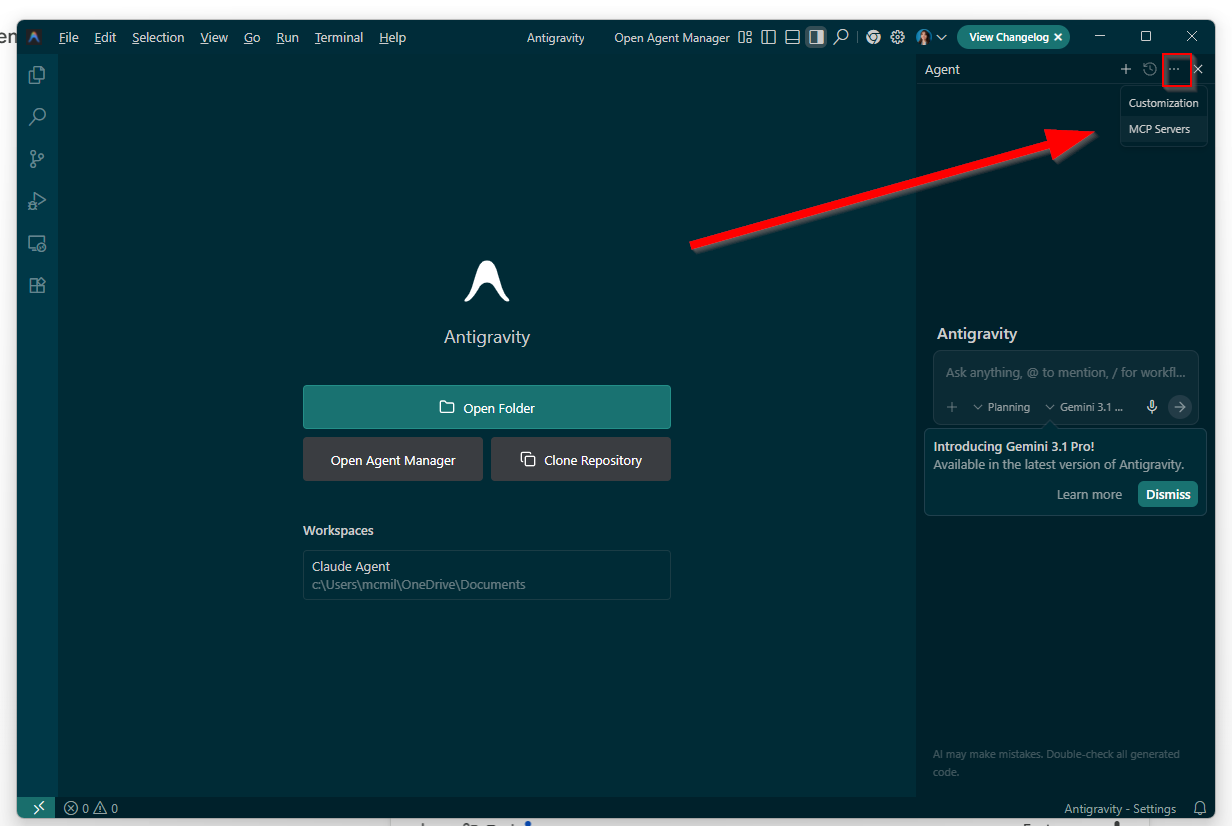
Then select “Manage MCP Servers” and click “View raw config”
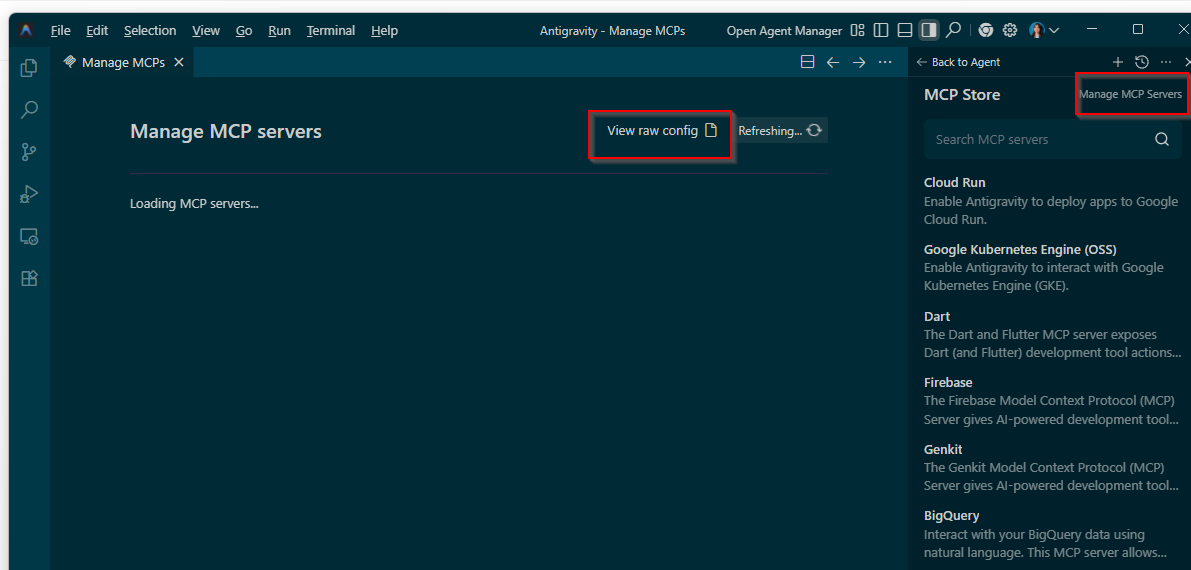
You can also open the file directly at:
Windows: C:\Users\YourName\.gemini\antigravity\mcp_config.json
Mac/Linux: ~/.gemini/antigravity/mcp_config.json
Paste the following into the file, replacing YOUR_ADLABS_API_KEY with the actual API key from your AdLabs account:
{
  "mcpServers": {
    "adlabs": {
      "serverUrl": "https://mcp.adlabs.app/mcp",
      "headers": {
        "X-ADLABS-MCP-KEY": "YOUR_ADLABS_API_KEY",
        "Content-Type": "application/json"
      }
    }
  }
}
Save the file.
Fully close Antigravity (not just minimize) and reopen it. This is required for the new MCP server configuration to load into your session.
Open a new conversation in Antigravity and type:
/mcp listYou should see adlabs listed.
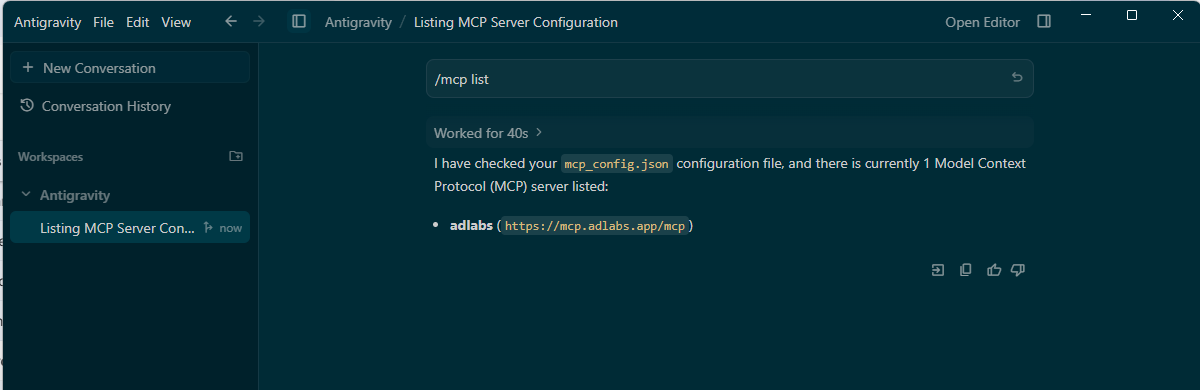
Next, confirm the AdLabs tools are actually loaded by asking Gemini:
What AdLabs tools do you have access to?
Gemini should list tools like mcp_adlabs_get_entity_data, mcp_adlabs_query, mcp_adlabs_execute_action, and others.
Test the connection with a simple prompt like:
"List my AdLabs teams"
"Show me my top 10 campaigns by spend last week"
"Pull search terms with over $100 spend and zero sales in the last 30 days"
"No tools loaded in my active session"
If /mcp list shows AdLabs as connected but Gemini says no AdLabs tools are loaded, fully close Antigravity (check Task Manager to make sure no Antigravity process is still running) and reopen. A partial restart sometimes doesn't reload MCP tools.
"Authentication required" error
If you see authentication required: set the X-ADLABS-MCP-KEY header or use OAuth Bearer token, double-check that you're using the X-ADLABS-MCP-KEY header name (not Authorization) and that your API key is pasted correctly with no extra spaces or line breaks.
API key security: Treat your API key like a password. Don't share it or commit mcp_config.json to a public repo. If you disable or regenerate the key in AdLabs, your MCP connection will immediately lose access and you'll need to update the config with the new key.
Focus your agent with a GEMINI.md file: You can create a GEMINI.md file in your project folder to give Gemini context about how to use the AdLabs MCP. For example: "You have access to my Amazon PPC data via the AdLabs MCP server. Use it to check campaign performance before suggesting any budget changes."
Have questions about configuring the MCP for larger teams? See below.
How MCP Access Works with Teams, Accounts, and Permissions
How your AdLabs permissions, Teams, and API keys carry over to MCP connections.
